Apex_PDFEditScan: Android tool for fast mobile PDF capture
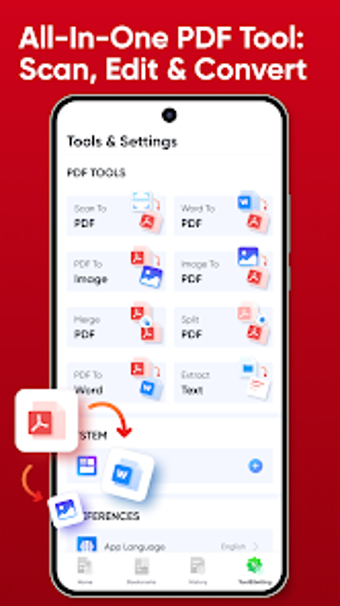
Apex_PDFEditScan, from Flatmates and Roommates, is an Android utility for capturing and managing documents on mobile devices. It combines mobile-camera scanning, image-to-PDF conversion, and basic page editing into a single workflow, with batch processing that converts multiple images or documents simultaneously. Key tools include rotation, deletion, page reordering, and a lightweight interface optimized for speed and organization. It favors speedy batch jobs and compact file management for frequent mobile workflows; the app targets students, office professionals, and mobile users.
What does Apex_PDFEditScan do?
The app bundles capture, conversion, and basic editing into one mobile workflow. It uses the device camera for high-quality document scanning and converts images to PDF, while a dedicated batch conversion engine processes multiple files at once. That combination is designed for people who handle many receipts, assignments, or forms on the go and need grouped output without manually converting each image file.
Does it slow down your device during a scan?
Its lightweight, optimized interface reduces resource demands during capture and conversion. The developer targets Android 5.0 or newer, which implies routine scans and batch jobs run smoothly on reasonably current devices. Processing time still scales with page count and device capability, so very large multi-page batches may take noticeably longer on older or low-memory hardware.
Is it safe to use on a production device?
Document processing is performed on-device, but public feedback is limited. Conversions and edits remain local to the Android device during use, which keeps files off external servers during processing. The app is a niche offering with fewer public reviews than major PDF suites, so it is sensible to test behavior and output on noncritical documents before committing large batch operations.
Do I need technical knowledge to use Apex_PDFEditScan?
Basic tasks require little setup, while batch and organization workflows reward a short learning step. Core scanning and single-file conversions are straightforward thanks to clear interface choices. Users preparing many PDFs or reorganizing large sets should review output naming and folder choices to avoid confusion when dozens of files are generated.
Practical recommendation for mobile document workflows
Apex_PDFEditScan is a practical choice for mobile users who need speedy on-device document handling and batch output; it suits frequent scanning tasks on Android hardware. As a precaution, run a small sample batch to verify output and file naming before processing large sets, given the app's niche profile and limited public reviews. Consider a desktop suite for complex editorial workflows that require advanced annotation or form handling beyond mobile scope. Recommended.